> ## Documentation Index
> Fetch the complete documentation index at: https://docs.x.com/llms.txt
> Use this file to discover all available pages before exploring further.
# Accessing Ads accounts
> How to access X Ads accounts using OAuth, including advertiser versus developer access tokens, account permissions, and agency multi-account workflows.
# User accounts vs Ad accounts
There are two different types of accounts involved in using the Ads API: advertising accounts and X user accounts. Throughout Ads API documentation, the term “account” usually refers to the advertising account.
* Advertising accounts are registered on **business.x.com** and identified in the API by account\_id. Advertising accounts link directly to funding sources and leverage content from one or more X user accounts as ‘promotable users’. Each advertising account can grant permission to one or more X user accounts. The advertising account, or “current account,” is represented in nearly every URL executed as an in-line :account\_id parameter.
* X user accounts (such as @AdsAPI) are identified by user\_id in the Ads API. One or more of these accounts can be associated with an advertising account. The authenticated X user account making requests on the API is referred to as the ‘current user.’ A listing of advertising accounts that the current user has access to can be found with [GET accounts](/x-ads-api/campaign-management/reference#accounts). ‘Promotable users’ are X handles that can be promoted by a specific advertising account. For more details about this, see [Obtaining Ads Account Access](/x-ads-api/introduction).
## Methods for ad account access
There are two methods you can use to make Ads API requests for an advertiser’s account:
1. Making requests on behalf of an Advertiser (**recommended)**
2. Making requests using your account that has been granted access to an Advertiser's account, e.g. an [Agency](https://business.x.com/en/blog/agencies-manage-multiple-Twitter-Ads-accounts.html) supporting multiple accounts.
This document is a brief overview of the differences between these options and should be used in conjunction with our other resources, such as the [multi-user login FAQ](https://business.x.com/en/help/troubleshooting/multi-user-login-faq.html).
As described in [Authorizing a request](/resources/fundamentals/authentication#authorizing-a-request#authorizing-a-request), all requests to the Ads API require Authorization headers using [OAuth 1.0a](/resources/fundamentals/authentication) with an access token obtained via [3-legged](/resources/fundamentals/authentication#obtaining-access-tokens-using-3-legged-oauth-flow)[OAuth](/resources/fundamentals/authentication#obtaining-access-tokens-using-3-legged-oauth-flow) flow. Your application will need to implement a web-based OAuth flow to [obtain access tokens](/resources/fundamentals/authentication#oauth-1-0a-2). Ads API developers should never request that our X advertisers share their login credentials.
By default, each [X developer application](/resources/fundamentals/developer-apps) contains a static **access token** that can be used to make Ads API requests for the account that owns the application. These credentials are ideal for single-account use cases without requiring a 3-legged or [PIN-based OAuth](/resources/fundamentals/authentication#pin-based-authorization) flow. If you aren't accessing another X Ads Account, use these [single-user](/resources/fundamentals/authentication#oauth-1-0a-2) credentials instead of the following steps.
## Levels of access
### App-level permissions
Each user will have a level of access as requested upon [application to the Ads API](/x-ads-api/getting-started/step-by-step-guide):
* **Conversion Only**: User has access to [Mobile](/x-ads-api/measurement/mobile-conversions) and [Web Conversion](/x-ads-api/measurement/web-conversions) endpoints with [read & write](/resources/fundamentals/developer-apps) access.
* **Standard Access**: User has access to [Analytics](/x-ads-api/analytics), [Campaign Management](https://developer.x.com/en/docs/twitter-ads-api/campaign-management/overview), [Creatives](https://developer.x.com/en/docs/twitter-ads-api/creatives/overview), [Custom Audiences](https://developer.x.com/en/docs/twitter-ads-api/audiences/overview), and [Conversion](/x-ads-api/measurement/web-conversions) endpoints with [read & write](/resources/fundamentals/developer-apps) access.
**Note:** Ads API developers who requested access prior to July 2023 may have different levels of access and permissions, and may be limited to five OAuth tokens. See our guide on [increasing access](/x-ads-api/getting-started/increasing-access) to access to additional endpoints or lift token limits for existing applications.
### Ad account-level permissions
Each user that has access to an Ads Account will have a specific account-level permission: **Account administrator**, **Ad manager**, **Campaign analyst**, **Organic analyst**, and **Creative Manager**; see **business.x.com** for the latest documentation for account-level permissions. Applications should retrieve the permissions for the currently authenticated user via the [Authenticated User Access](/x-ads-api/campaign-management/reference#authenticated-user-access) API endpoint to determine which API endpoints and Ads features they can access.
**Note:** Any user tokens used with the [Conversion API](/x-ads-api/measurement/web-conversions) must be for users with **Account administrator** or **Ad manager** account-level permissions.
## Methods of obtaining access tokens
### 1. Obtain an advertiser's (User) access token
There are two methods of obtaining an advertiser’s **access token**. The most common method is via a [3-legged OAuth flow](/resources/fundamentals/authentication#obtaining-access-tokens-using-3-legged-oauth-flow) directly from within your web UI. Applications that do not have a publicly accessible UI exposed to advertisers can implement an [PIN-based](/resources/fundamentals/authentication#pin-based-authorization) Oauth process. After the user completes the 3-legged flow, your application will have credentials to make request for their Ads account via the API.
Obtaining user credentials via OAuth flow is the method we **highly recommend** for the majority of Ads API developers to gain access to an advertiser account. It allows you to call the API on behalf of a user and take actions as that user. These tokens do not expire but can be revoked by the user at any time.
### 2. Obtain your (Developer) access token
This option requires the advertiser to [grant your @username](https://business.x.com/en/help/troubleshooting/multi-user-login-faq.html) (or @usernames) access to their X Ads account via the X UI at business.x.com. **Access tokens** obtained through the 3-legged OAuth flow for your account will be able to access the advertiser's X Ads account.
This allows you to call the API using the OAuth tokens of your own @username rather than the advertiser’s OAuth tokens. The key distinction on this option is that you may only create Promoted-Only Posts if the Post delegation/composer permission has been granted to your @username.
To gain access to create Promoted-Only Posts on behalf of the `FULL` promotable user on the account, you must also be granted access to create Posts in this flow. That will enable access via the `TWEET_COMPOSER` permission on the [GET accounts/:account\_id/authenticated\_user\_access](/x-ads-api/campaign-management/reference#accounts) endpoint.
## Differences between these methods
| | | |
| :----------------------------------------------------------------- | :---------------------------- | :-------------------------------------------------------------------- |
| | Advertiser (User) OAuth Token | (Developer) OAuth Token
(@username added to separate account) |
| Access Ads Account | ✔ | ✔ |
| Create Posts on Behalf of User | ✔ | ✔\* |
| Manage Campaigns | ✔ | ✔ |
| Access Analytics | ✔ | ✔ |
| Create Cards on Behalf of User | ✔ | ✔ |
| Developer ability to Access
via X Ads UI | | ✔ |
| [Rate Limits](/x-api/enterprise-gnip-2.0/fundamentals/rate-limits) | Distinct per Advertiser | Distinct per Advertiser Account |
**Note:** See **[Obtain your (Developer) access token](/x-ads-api/fundamentals/accessing-ads-accounts#2-obtain-your-developer-access-token)** section above for details.
## Sample use case
### Advertiser's access token via OAuth 3-legged web flow
The standard flow is web-based and uses the [3-legged authorization](/resources/fundamentals/authentication#obtaining-access-tokens-using-3-legged-oauth-flow) OAuth flow. The screen shots outlined here are part of a sample that you can view the source of at [https://github.com/xdevplatform/twauth-web](https://github.com/xdevplatform/twauth-web).
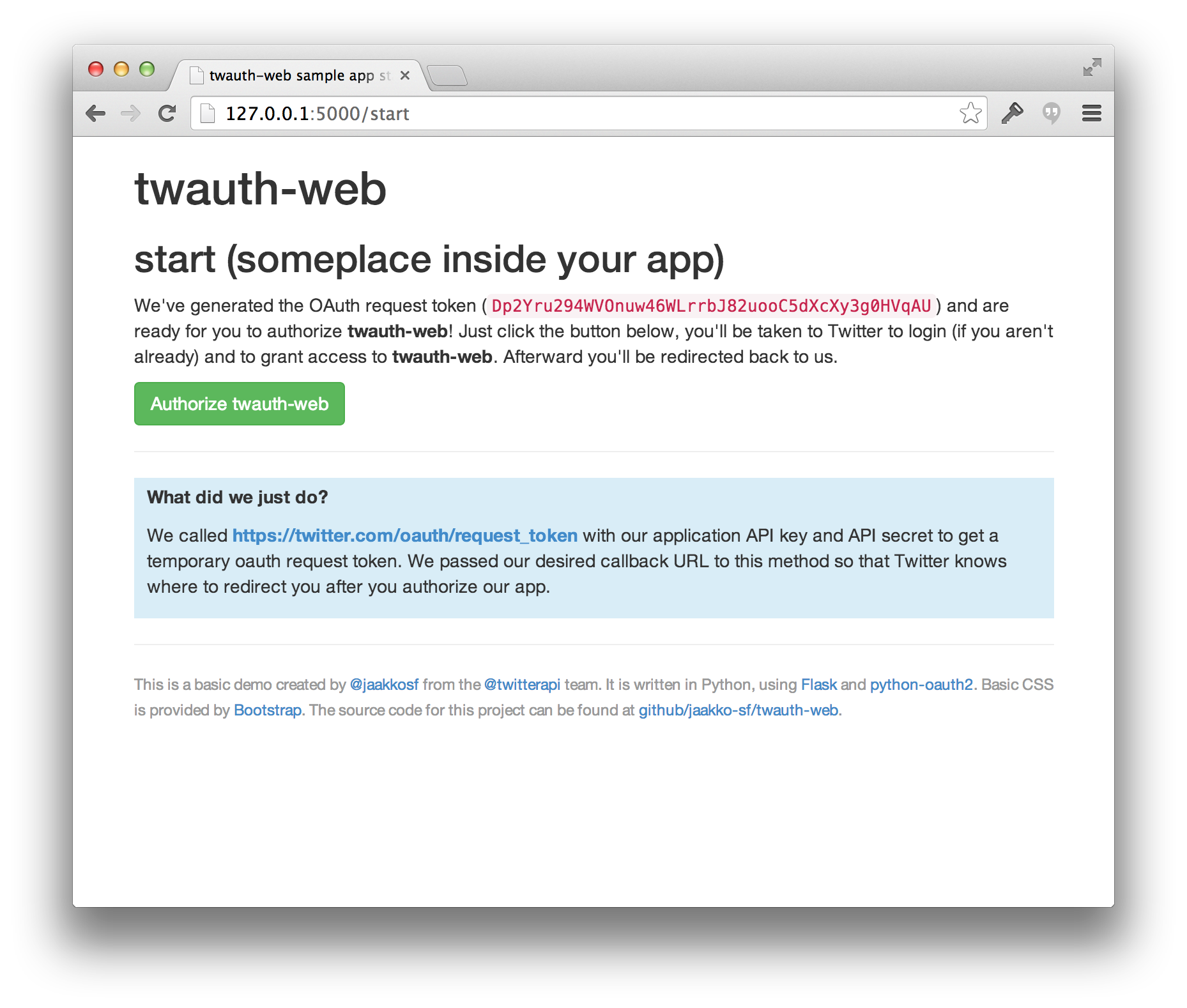
At some point in your application, you will want to redirect to X in order to authorize your application
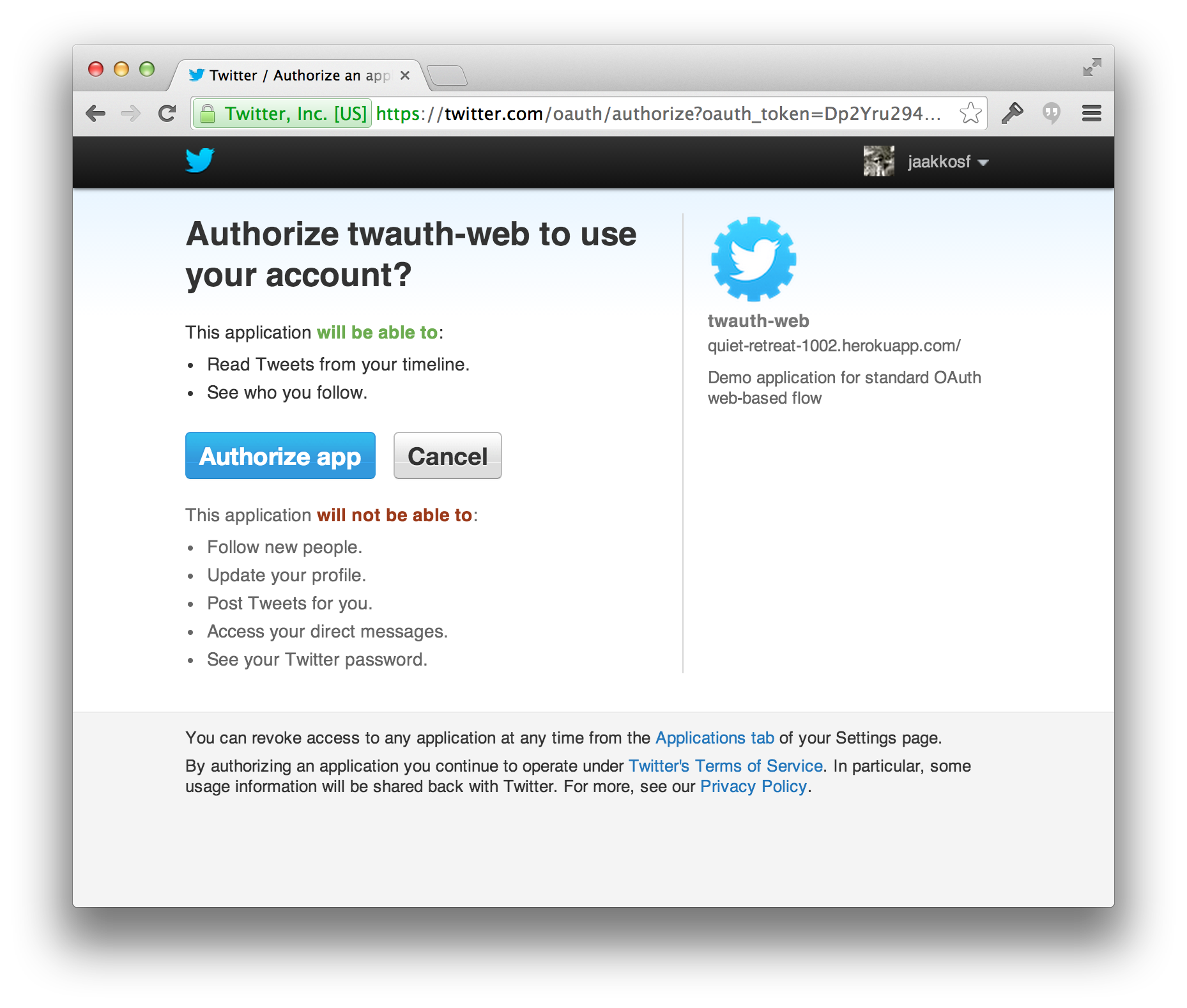
 When you redirect to X with the request token, the user will be prompted to authorize your application
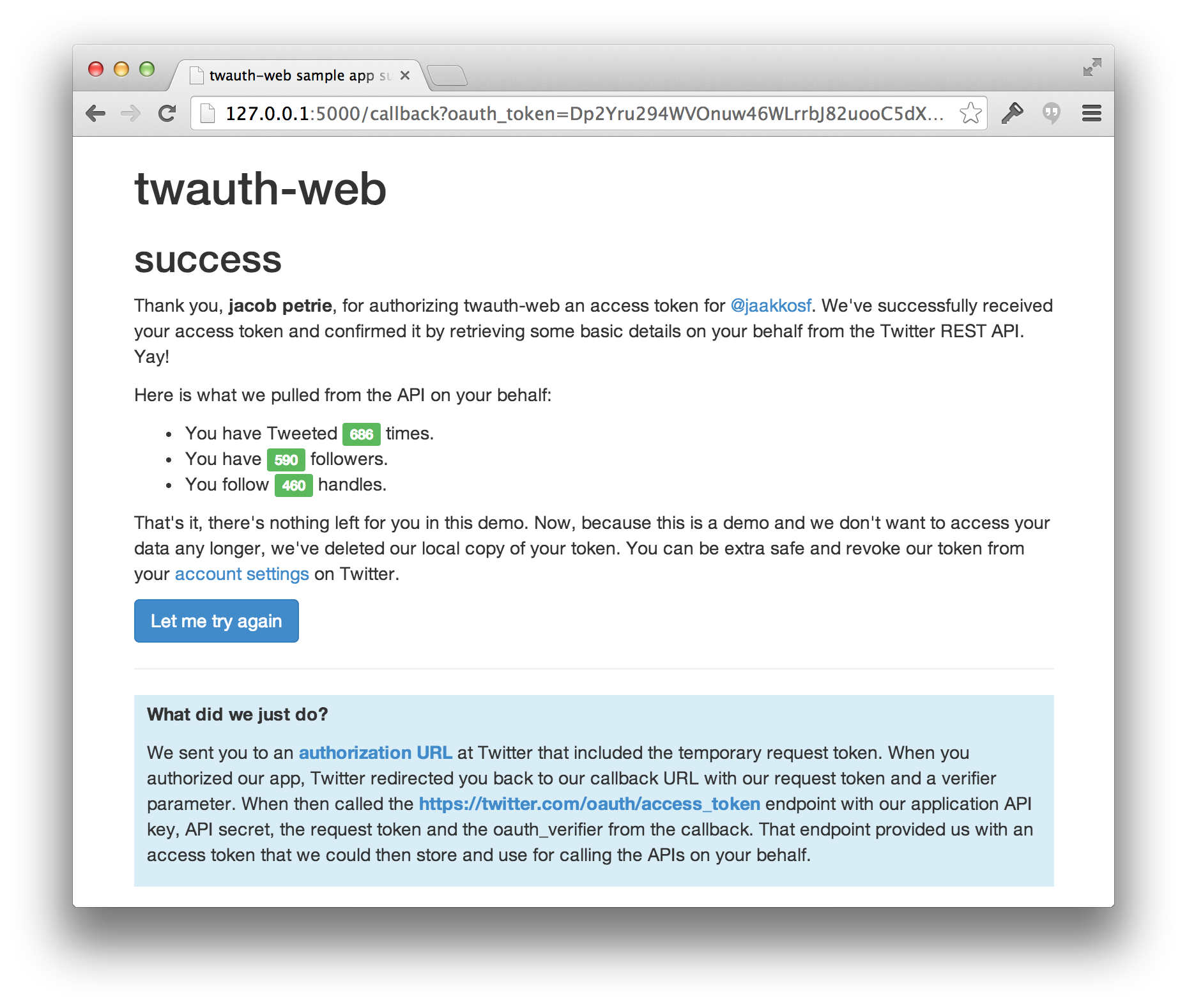
 Upon authorizing your application, the user will be redirected to the callback URL provided when you generated the request token. You will use this to obtain the permanent access token for this user and store it locally!